
Business ontology examples
Concrete Turtle snippets showing how different domains model their metrics, dimensions, and relationships using Magnowlia's four-layer ontology framework. In practice, Magnus — Magnowlia's AI ontology agent — generates most of this for you. Your role is to review and refine.
E-commerce ontology
Based on the Acme Shop sample. Models customers, orders, products, and line items with metrics like Total Revenue and Average Order Value.
Technical layer — tables and columns
t:public.orders a m:Table ;
    rdfs:label "Orders" ;
    rdfs:comment "Order transactions with one row per order line." .

t:public.customers a m:Table ;
    rdfs:label "Customers" ;
    rdfs:comment "Customer master data including segmentation and demographics." .

t:public.orders.order_id a m:Column ;
    rdfs:label "Order ID" ;
    rdfs:comment "Unique order identifier (PK)." ;
    m:belongsToTable t:public.orders .

t:public.orders.total_amount a m:Column ;
    rdfs:label "Total Amount" ;
    rdfs:comment "Total monetary value of the order." ;
    m:belongsToTable t:public.orders .

t:public.orders.created_at a m:Column ;
    rdfs:label "Created At" ;
    rdfs:comment "Timestamp when the order was placed." ;
    m:belongsToTable t:public.orders .

t:public.customers.customer_id a m:Column ;
    rdfs:label "Customer ID" ;
    rdfs:comment "Customer unique identifier (PK)." ;
    m:belongsToTable t:public.customers .

t:public.customers.email a m:Column ;
    rdfs:label "Email" ;
    rdfs:comment "Primary email address of the customer." ;
    m:belongsToTable t:public.customers .

t:public.customers.country a m:Column ;
    rdfs:label "Country" ;
    rdfs:comment "ISO country code of the customer." ;
    m:belongsToTable t:public.customers .
The technical layer describes the physical database schema using m:Table and m:Column. Every table and column gets a label and comment so both people and AI understand what the data contains. This layer is imported automatically when you connect a data source.
Business classes and properties
b:Customer a owl:Class ;
    rdfs:label "Customer" ;
    rdfs:comment "A person or organization that places orders" ;
    skos:altLabel "Buyer" , "Client" ;
    m:mapsToTable t:public.customers .

b:Order a owl:Class ;
    rdfs:label "Order" ;
    rdfs:comment "A customer purchase transaction" ;
    m:mapsToTable t:public.orders .

b:placedBy a owl:ObjectProperty ;
    rdfs:label "placed by" ;
    rdfs:domain b:Order ;
    rdfs:range b:Customer ;
    m:realizedBy "orders.customer_id = customers.id" .
Each class maps to a physical table. The placedBy relationship between Order and Customer is declared with a SQL join condition, so queries that cross these two tables always use the correct join logic.
Data governance and lineage
b:customerEmail a owl:DatatypeProperty ;
    rdfs:label "Customer Email" ;
    rdfs:domain b:Customer ;
    rdfs:range xsd:string ;
    bv:sensitivityLevel "Restricted" ;
    bv:complianceCategory "PII" ;
    bv:maskingRule "redact" ;
    m:mapsToColumn t:public.customers.email .

b:customerCountry a owl:DatatypeProperty ;
    rdfs:label "Customer Country" ;
    rdfs:domain b:Order ;
    rdfs:range xsd:string ;
    rdfs:comment "Denormalized from customer master. See b:customerCountryMaster for the source." ;
    bv:masterProperty b:customerCountryMaster ;
    m:mapsToColumn t:public.order_summary.customer_country .
Properties carry governance metadata inline. bv:sensitivityLevel and bv:complianceCategory classify sensitive fields so the platform can apply masking rules automatically. bv:masterProperty traces a denormalized property back to its canonical source, preventing ambiguity when the same attribute appears in multiple tables.
Metrics
b:totalRevenueMetric a bv:Metric ;
    rdfs:label "Total Revenue" ;
    bv:metricExpression "SUM(b:orderTotal)" ;
    bv:timeDimension b:orderDate ;
    bv:sourceEntity b:Order ;
    bv:metricPreFilter "b:orderStatus = 'completed'" ;
    bv:metricCategory "Revenue" .

b:averageOrderValueMetric a bv:Metric ;
    rdfs:label "Average Order Value" ;
    skos:altLabel "AOV" ;
    bv:metricExpression "AVG(b:orderTotal)" ;
    bv:timeDimension b:orderDate ;
    bv:sourceEntity b:Order ;
    bv:metricPreFilter "b:orderStatus = 'completed'" ;
    bv:metricCategory "Revenue" .
Metrics are first-class objects with SQL expressions, time dimensions, pre-filters, and categories. Theskos:altLabel "AOV" on Average Order Value means queries using the abbreviation resolve to the same metric. View the full Acme Shop ontology →
SaaS metrics ontology
A conceptual example showing how subscription-based businesses model MRR, churn, and ARR. The same four-layer approach applies: business classes at the top, physical tables at the bottom.
b:Subscription a owl:Class ;
    rdfs:label "Subscription" ;
    rdfs:comment "A recurring billing arrangement with a customer" ;
    m:mapsToTable t:public.subscriptions .

b:mrrMetric a bv:Metric ;
    rdfs:label "Monthly Recurring Revenue" ;
    skos:altLabel "MRR" ;
    rdfs:comment "Sum of active subscription amounts normalized to monthly" ;
    bv:metricExpression "SUM(b:monthlyAmount)" ;
    bv:timeDimension b:billingDate ;
    bv:sourceEntity b:Subscription ;
    bv:metricPreFilter "b:customerStatus = 'active'" ;
    bv:metricCategory "Revenue" .

b:churnRateMetric a bv:Metric ;
    rdfs:label "Churn Rate" ;
    skos:altLabel "Monthly Churn" , "Customer Churn" ;
    rdfs:comment "Percentage of subscriptions cancelled in the period" ;
    bv:metricSql """
      SELECT DATE_TRUNC('month', cancelled_at) AS period,
             COUNT(*) * 1.0 / (SELECT COUNT(*) FROM subscriptions
                                WHERE status = 'active') AS churn_rate
      FROM subscriptions WHERE cancelled_at IS NOT NULL
      GROUP BY 1""" ;
    bv:metricCategory "Retention" .

b:arrMetric a bv:Metric ;
    rdfs:label "Annual Recurring Revenue" ;
    skos:altLabel "ARR" ;
    rdfs:comment "MRR multiplied by 12" ;
    bv:metricSql "SELECT SUM(monthly_amount) * {{AnnualizationFactor}} AS arr FROM subscriptions WHERE status = 'active'" ;
    bv:dependsOnConstant b:AnnualizationFactor ;
    bv:metricCategory "Revenue" .

b:AnnualizationFactor a bv:BusinessConstant ;
    rdfs:label "Annualization Factor" ;
    bv:constantValue 12 .
Notice how bv:metricSql is used for complex metrics that need a full SQL template instead of a simple expression. The Churn Rate metric uses a subquery, and ARR declares a dependency on a business constant (the annualization factor of 12).
Marketing analytics ontology
A conceptual example for marketing teams: campaigns, conversions, and attribution modeled as business concepts with metrics for spend efficiency and conversion rate.
b:Campaign a owl:Class ;
    rdfs:label "Campaign" ;
    rdfs:comment "A marketing campaign across one or more channels" ;
    skos:altLabel "Ad Campaign" , "Marketing Initiative" ;
    m:mapsToTable t:public.campaigns .

b:Conversion a owl:Class ;
    rdfs:label "Conversion" ;
    rdfs:comment "A tracked conversion event attributed to a campaign" ;
    m:mapsToTable t:public.conversions .

b:attributedTo a owl:ObjectProperty ;
    rdfs:label "attributed to" ;
    rdfs:domain b:Conversion ;
    rdfs:range b:Campaign ;
    m:realizedBy "conversions.campaign_id = campaigns.id" .

b:conversionRateMetric a bv:Metric ;
    rdfs:label "Conversion Rate" ;
    skos:altLabel "CVR" ;
    rdfs:comment "Percentage of impressions that result in a conversion" ;
    bv:metricExpression "COUNT(DISTINCT b:conversionId) * 1.0 / NULLIF(SUM(b:impressions), 0)" ;
    bv:timeDimension b:conversionDate ;
    bv:sourceEntity b:Conversion ;
    bv:metricCategory "Performance" .

b:costPerAcquisitionMetric a bv:Metric ;
    rdfs:label "Cost per Acquisition" ;
    skos:altLabel "CPA" , "Cost per Conversion" ;
    rdfs:comment "Total spend divided by number of conversions" ;
    bv:metricExpression "SUM(b:spend) / NULLIF(COUNT(DISTINCT b:conversionId), 0)" ;
    bv:timeDimension b:conversionDate ;
    bv:sourceEntity b:Conversion ;
    bv:metricCategory "Efficiency" .
The marketing ontology follows the same patterns: business classes map to tables, relationships declare join logic, and metrics carry their SQL expressions and time dimensions. A user asking “what is our CPA by channel?” resolves automatically through the synonym and the ontology graph.
Access control ontology
Define who can see what directly in the ontology. Access policies restrict metrics and entities by role or group, row filters enforce row-level security, and sensitivity annotations trigger automatic column masking.
# Access control: revenue metric restricted to finance team
b:financePolicy a bv:AccessPolicy ;
    bv:allowRole "admin" ;
    bv:allowGroup "finance" .

b:totalRevenueMetric a bv:Metric ;
    bv:accessPolicy b:financePolicy ;
    rdfs:label "Total Revenue" ;
    bv:metricExpression "SUM(revenue)" .

# Row-level security: regional managers see only their country
b:regionFilter a bv:RowFilter ;
    bv:filterExpression "orders.country = '{{user.country}}'" ;
    bv:allowRole "admin" .

b:Order a owl:Class ;
    bv:rowFilter b:regionFilter .

# Column masking: customer email is PII
b:customerEmail a owl:DatatypeProperty ;
    rdfs:label "Customer Email" ;
    bv:sensitivityLevel "Restricted" ;
    bv:complianceCategory "PII" ;
    bv:maskingRule "redact" .
Access policies use bv:allowRole and bv:allowGroup to control visibility. Row filters inject WHERE clauses with user context variables like {{user.country}}. Masking rules are enforced server-side in Rust, so sensitive data never reaches unauthorized users.
Metric correlations
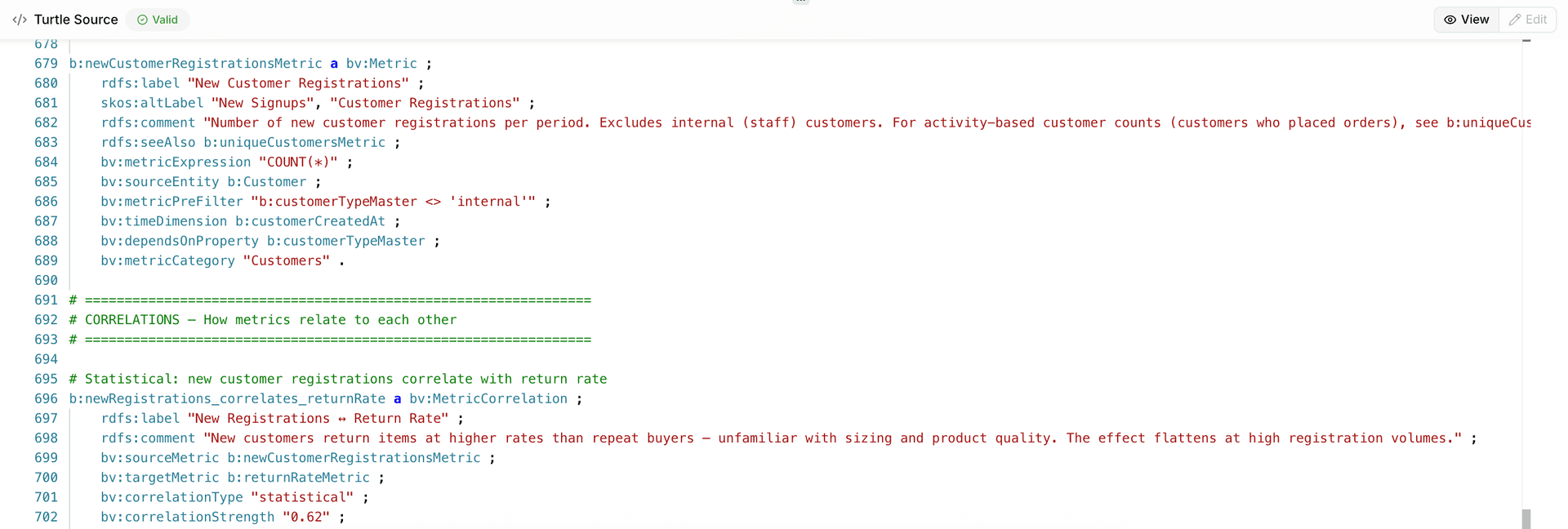
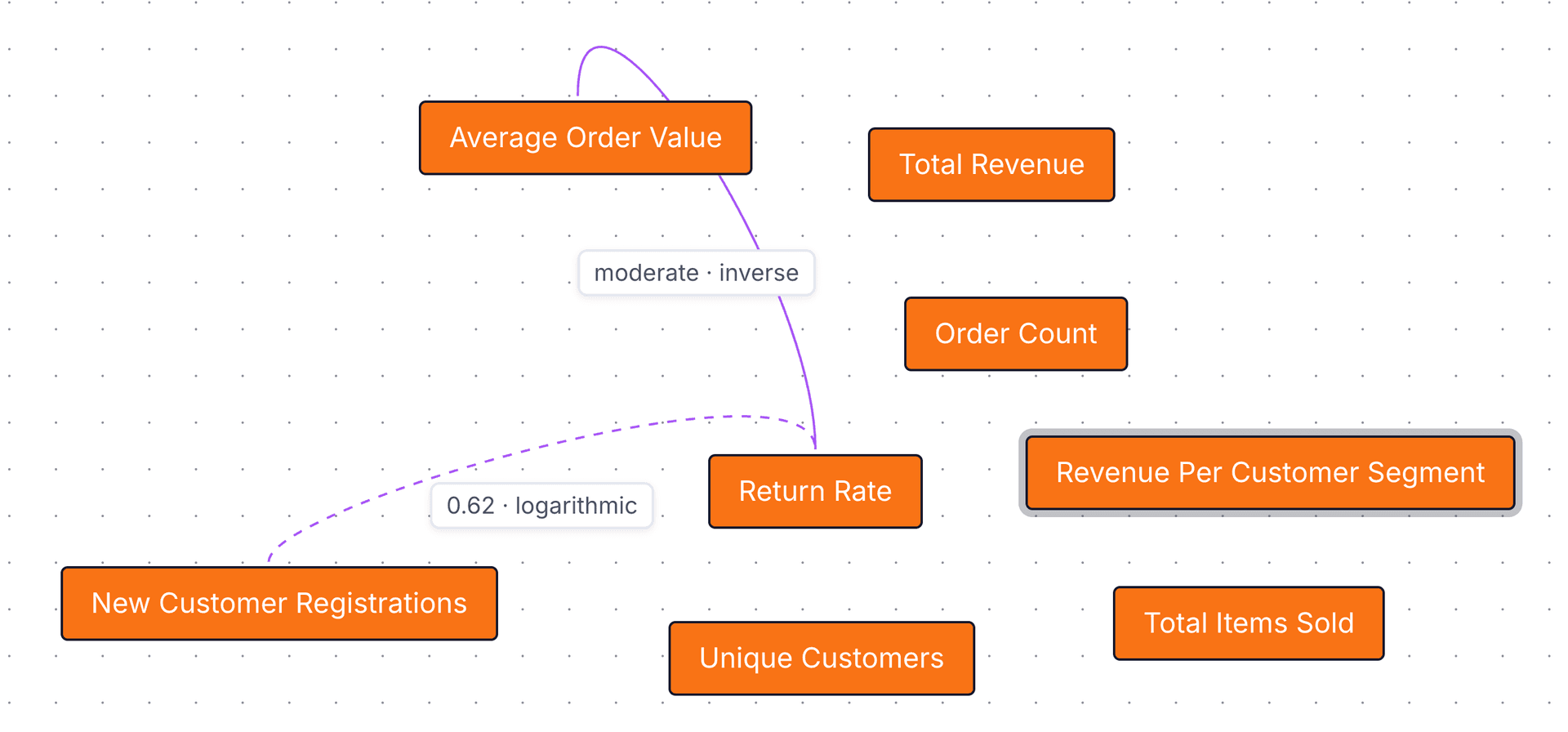
Capture how metrics relate to each other — statistically or causally. Statistical correlations record a numeric coefficient and curve shape discovered from data. Causal correlations express directional driver relationships with a qualitative strength level. Both types appear in the ontology graph and give the AI context for multi-metric analyses.
# Statistical: new customer registrations correlate with return rate
b:newRegistrations_correlates_returnRate a bv:MetricCorrelation ;
    rdfs:label "New Registrations ↔ Return Rate" ;
    rdfs:comment "New customers return items at higher rates than repeat buyers — unfamiliar with sizing and product quality. The effect flattens at high registration volumes." ;
    bv:sourceMetric b:newCustomerRegistrationsMetric ;
    bv:targetMetric b:returnRateMetric ;
    bv:correlationType "statistical" ;
    bv:correlationStrength 0.62 ;
    bv:correlationCurve "logarithmic" .

# Causal: high return rates drive down average order value
b:returnRate_drives_averageOrderValue a bv:MetricCorrelation ;
    rdfs:label "Return Rate → AOV" ;
    rdfs:comment "Higher return rates tend to reduce effective AOV as returned items deflate averages." ;
    bv:sourceMetric b:returnRateMetric ;
    bv:targetMetric b:averageOrderValueMetric ;
    bv:correlationType "causal" ;
    bv:correlationStrength "moderate" ;
    bv:correlationCurve "inverse" .
Statistical correlations use a Spearman rank correlation coefficient in bv:correlationStrength (from −1.0 to 1.0). Spearman is preferred over Pearson as it handles both linear and non-linear monotonic relationships. Causal correlations use a qualitative level (strong, moderate, weak, none, unknown). The optional bv:correlationCurve describes the functional shape — linear, logarithmic, exponential, inverse, and others.
Explore more
Acme Shop full ontology
Browse the complete four-layer e-commerce ontology with source code.
View ontology →Mapping vocabulary
Classes and properties for mapping concepts to database tables.
View vocabulary →Business vocabulary
Framework types for metrics, time dimensions, and constants.
View vocabulary →What is a business ontology?
Definitions, comparisons, and how to get started.
Learn more →Build your own ontology
Connect your data warehouse, define your business concepts and metrics, and start asking questions in plain English. No credit card required.
Get Started Free