
What is a business ontology?
A business ontology is a formal model of your domain: it defines the concepts, metrics, dimensions, and relationships that matter to your business in a way that both people and systems can use. Unlike a simple data dictionary, it connects business meaning to your actual database schema so analytics stay consistent and traceable.
Ontology vs data dictionary vs data catalog
The three terms are often confused, but they serve different purposes and operate at different levels of abstraction. The table below compares them across key dimensions so you can choose the right tool for the job.
| Dimension | Data Dictionary | Data Catalog | Business Ontology |
|---|---|---|---|
| Scope | Tables, columns, and data types | Assets across the entire data estate (tables, dashboards, pipelines) | Business concepts, metrics, dimensions, and their relationships |
| Relationships | Foreign keys only | Lineage between assets (upstream/downstream) | Formal semantic relationships: subclass, part-of, measured-by, time-dimension |
| Metric definitions | Not supported | Tags or descriptions at most | First-class: expression, aggregation, time dimension, and table binding |
| AI-readability | Low — column names are ambiguous | Medium — descriptions help, but no formal logic | High — machine-readable OWL/RDF with explicit semantics |
| Versioning | Rarely versioned | Metadata snapshots or lineage history | Git-native: diff, branch, merge, and commit history |
| Traceability | Knows which column holds a value | Knows which pipeline produced a table | Full path: business concept → metric expression → table → column |
| Alternative labels | Not supported | Tags (unstructured) | SKOS altLabel: synonyms, legacy names, report aliases |
| Standards | Vendor-specific or ad-hoc | Open Metadata, DataHub, or proprietary | W3C OWL, RDF/Turtle, RDFS, SKOS |
A data dictionary is the right starting point when you need to document column-level details for a data warehouse migration or onboarding new analysts. It answers the question “what is in this table?” but stops short of explaining how concepts relate to each other or how metrics should be calculated.
A data catalog shines when your challenge is discovery: finding the right dataset, understanding which pipeline populates a table, or tracking ownership across teams. It operates at the asset level and is most valuable in organizations with hundreds of tables, dashboards, and jobs.
A business ontology goes further. It captures the meaning behind your data — the concepts your business actually uses to make decisions — and connects those concepts to physical tables with formal, machine-readable relationships. When you need consistent metric definitions, AI that understands your domain, or a single source of truth that survives schema changes, an ontology is the right choice.
Because a business ontology uses W3C standards (OWL, RDF, RDFS, SKOS), it is inherently machine-readable. This makes it a natural context layer for any AI system — not just analytics engines, but any agent that needs to understand your business domain: customer support bots, coding assistants, workflow automation tools, and more. The formal semantics mean AI systems can reason about your data rather than guessing from column names.
How Magnowlia's ontology works
Building an ontology in Magnowlia takes five steps. The platform handles most of the heavy lifting so you can focus on the business logic, not the syntax.
Connect your data warehouse
Link BigQuery, Snowflake, PostgreSQL, or Redshift. Magnowlia imports the technical layer — schemas, tables, and columns — automatically, giving you the raw material for the ontology.
Magnus suggests business concepts
Magnus, Magnowlia's AI ontology agent, analyzes your schema — table names, column types, foreign keys — and proposes business-level classes like Customer, Order, and Product. Your responsibility is to review that Magnus understood your domain correctly before applying the changes.
Define metrics and dimensions in Turtle
Tell Magnus what you need in plain English — he generates the metrics, dimensions, and relationships as valid Turtle syntax. You can also edit directly in the Monaco-based ontology editor. Magnus does the heavy lifting; you review and apply with a single click.
Map business concepts to physical tables
Each business class gets a m:mapsToTable link; each property gets a m:mapsToColumn link. Joins between tables are declared explicitly so there is never any ambiguity about how data connects.
Query with AI — and beyond
Once the ontology is in place, Magnowlia's AI resolves natural-language questions to the correct metrics, joins, and filters. Every answer links back to the ontology definition it used, so results are traceable and auditable. And because the ontology is stored as standard OWL/Turtle, it can serve as the business context layer for any AI system in your stack — not just analytics.
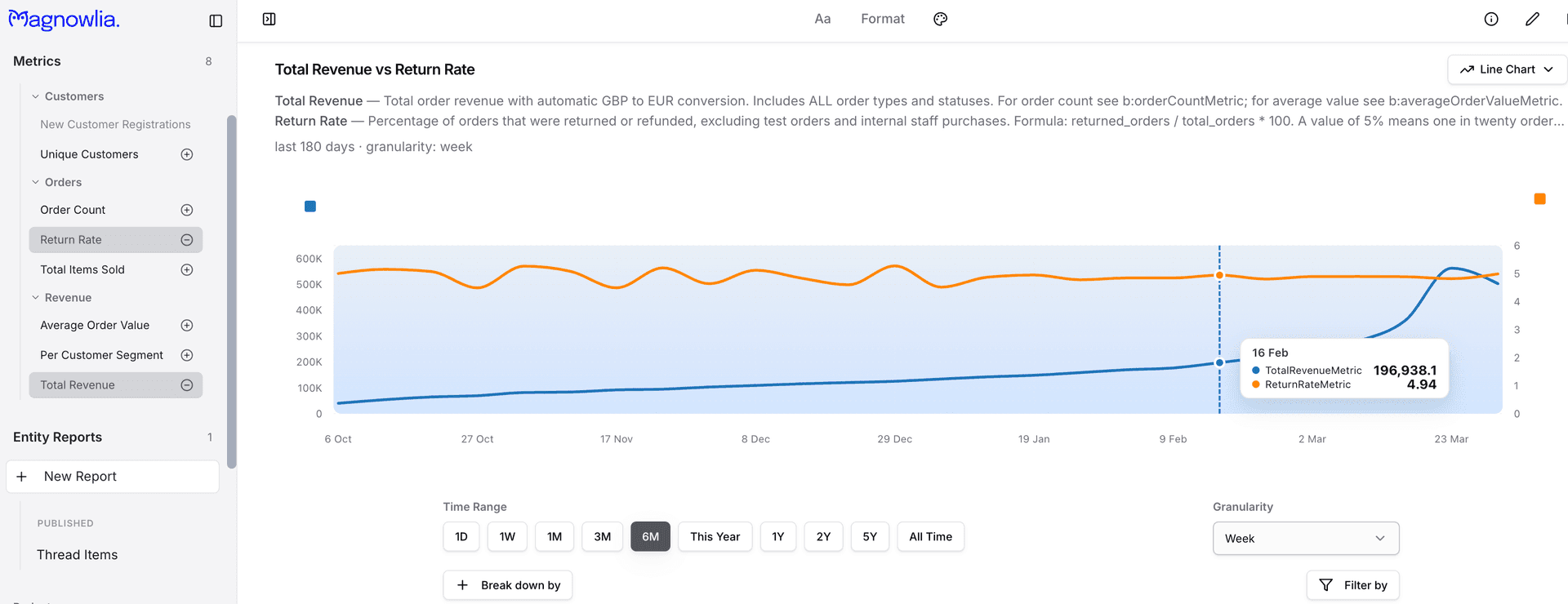
Here is a minimal metric definition in Turtle showing how a revenue metric is declared:
b:totalRevenueMetric a bv:Metric ;
    rdfs:label "Total Revenue" ;
    rdfs:comment "Sum of all order amounts after discounts" ;
    bv:metricExpression "SUM(b:orderTotal)" ;
    bv:timeDimension b:orderDate ;
    bv:sourceEntity b:Order ;
    bv:metricCategory "Revenue" .
The metric has a human-readable label, a SQL expression, a time dimension for trending, and a link to the source business entity. AI and BI tools consume this definition to produce consistent numbers.
Example: modeling an e-commerce order
Below is a snippet from the Acme Shop sample ontology showing how a business concept (Order) is defined with properties, labels, and a mapping to the physical database.
b:Order a owl:Class ;
    rdfs:label "Order" ;
    rdfs:comment "A customer purchase transaction" ;
    skos:altLabel "Purchase" , "Sales Order" ;
    m:mapsToTable t:public.orders .

b:orderDate a owl:DatatypeProperty ;
    rdfs:label "Order Date" ;
    rdfs:domain b:Order ;
    rdfs:range xsd:date ;
    m:mapsToColumn t:public.orders.created_at .

b:orderTotal a owl:DatatypeProperty ;
    rdfs:label "Order Total" ;
    rdfs:domain b:Order ;
    rdfs:range xsd:decimal ;
    m:mapsToColumn t:public.orders.total_amount .
b:Order a owl:Class — declares Order as a business-level class using OWL.
rdfs:label "Order" — the human-readable name shown in the UI.
skos:altLabel "Purchase" , "Sales Order" — synonyms so that queries for “purchase” or “sales order” still resolve to the same concept.
m:mapsToTable t:public.orders — links the business concept to the physical table in your warehouse.
m:mapsToColumn t:public.orders.total_amount — maps the Order Total property to a specific column, so metric calculations are unambiguous.
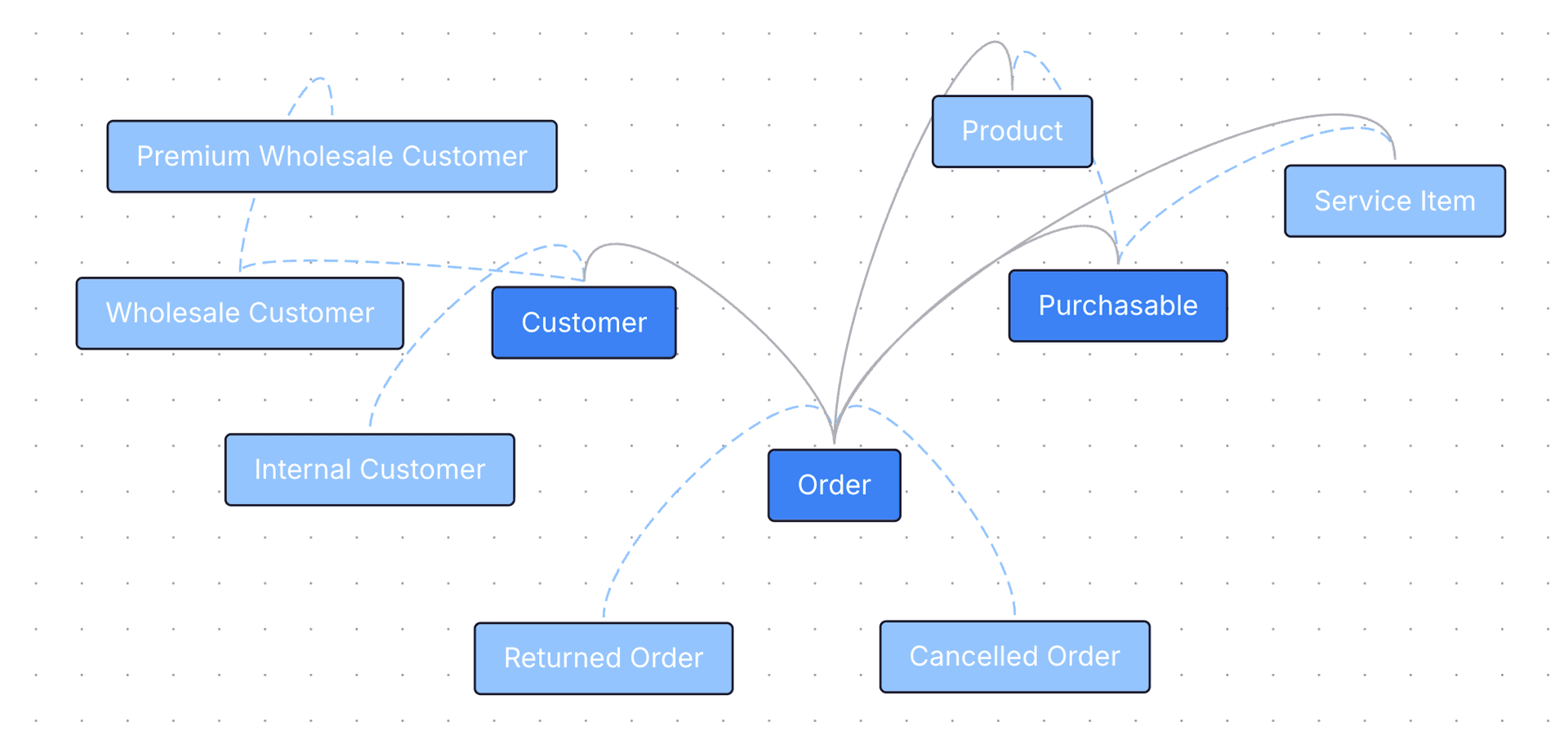
This pattern repeats for every concept in the domain: Customer, Product, LineItem, and so on. Each class gets its own properties, alternative labels, and table mappings. View the full Acme Shop sample ontology →
Explore more
Benefits of an ontology
Why teams adopt a business ontology for metrics and analytics.
Learn more →Ontology and semantic layer
How an ontology underpins a semantic layer for BI and AI.
Learn more →Acme Shop sample ontology
A complete four-layer example modeling an e-commerce platform.
View example →Ontology vs data dictionary
A detailed comparison of ontologies and data dictionaries for data teams.
Learn more →Sign up and get started with your own ontology
Define your business metrics and dimensions in Magnowlia; connect your data and start asking questions in plain English. No credit card required.
Get Started Free